Know where everyhour goes.

Support teams handle a constant stream of work but managers can't see cost-to-serve per account. Chronixo makes every hour visible, reportable, and actionable.

Track time by account and issue type
Real-time workload dashboard
One-click leadership reports
Support hours by account dashboard
1 click
To generate leadership report
Real-time
Workload visibility
Zero
Manual reporting hours
99.9%
Platform uptime
How it works

Track support hours per account - know your true cost of service

Chronixo shows you exactly how much time each support account consumes - in real time.

1

Agent starts timer

Support agents start timers when they begin working on a ticket. Time logs against the customer account automatically.

2

Manager sees hours by account

The admin dashboard shows live hours per account this week. Identify which accounts are consuming more time than they are paying for.

3

Weekly summary prepared

End of week, hours per account are available instantly. No manual aggregation from ticket comments or spreadsheets.

4

Report shared with stakeholder

Account managers export a per-account time summary for internal reviews or client QBRs. One click, formatted and ready.

The challenge

The problem - and exactly how Chronixo solves it
Without Chronixo
Support managers are flying blind
Without time tracking per account, you can't calculate cost-to-serve. Without workload visibility, you can't prevent burnout. Without reports, every leadership meeting requires hours of manual prep.
No visibility into which accounts consume the most support time
Overloaded agents invisible until they resign or burn out
Every leadership report requires an hour of manual data collection
With Chronixo
Every hour tracked, analyzed, and actioned
Track time per account and issue type. Watch workload in real time. Export the numbers leadership asks for in one click. Spot burnout risk before it becomes attrition.
Time tracked per account, issue type, and agent
Real-time workload dashboard - spot overload before it's too late
Leadership reports in one click - always from live data
Workload visibility
Spot burnout risk before it becomes a resignation
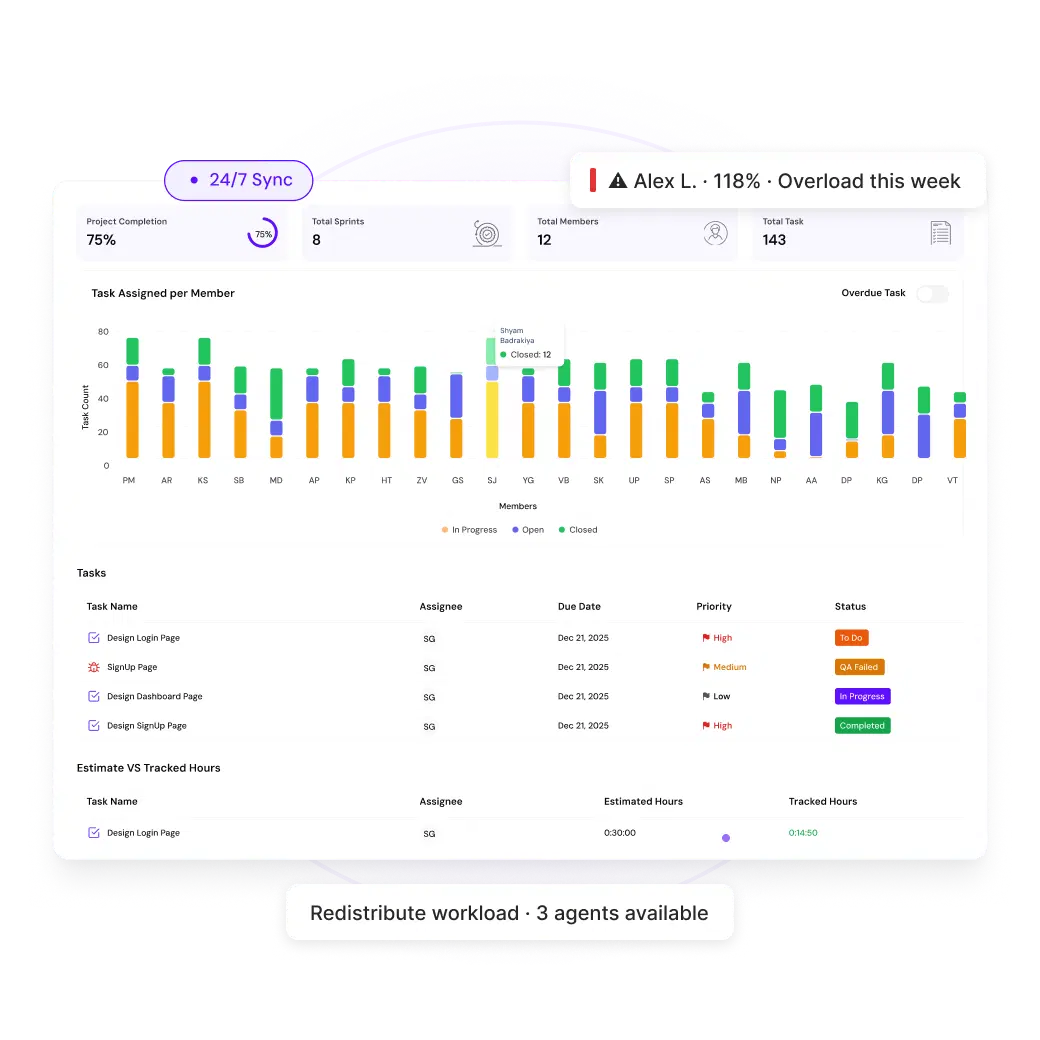
The utilization heatmap shows who's overloaded - by person, by day, by week. When an agent hits 110% utilization for three days running, you know before they burn out. Reassign one ticket, not a whole team.
Per-agent utilization visible across the whole week
Overload alerts when utilization crosses your threshold
Drill from team summary to individual daily breakdown
Start free trial
Spot burnout risk before it becomes a resignation
Leadership reporting
Reports that write themselves - always live
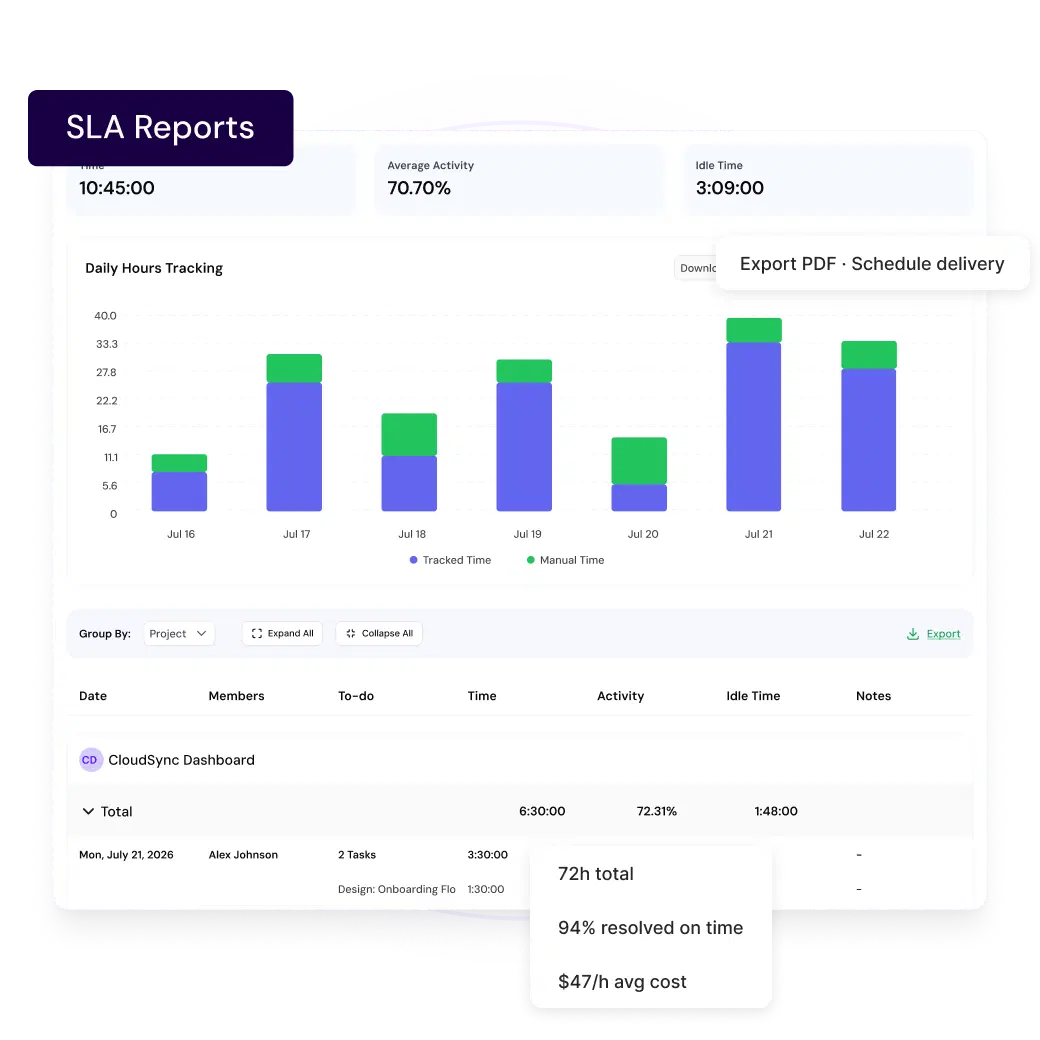
Time by account, cost-to-serve trends, agent utilization, and SLA compliance - all from live tracked data. One click to export in PDF, CSV, or Excel. No more Monday morning spreadsheet sprint.
All reports pull from live data - never manually compiled
Cost-to-serve breakdown per account and issue type
Schedule delivery to leadership inboxes automatically
View pricing
Reports that write themselves - always live
Customer Support

The features that matter most to your team

Every capability - included from day one, no add-ons required.

Time Tracking
Log time per account and issue type automatically.
Activity Monitoring
Real-time workload visibility across the team.
Reports
Cost-to-serve, utilization, and SLA in one click.
Timesheets
Automated timesheets with approval built in.
Workforce Analytics
Utilization views that surface burnout risk early.
Team Management
Roles scoped for support team hierarchy.
"Reporting that used to take a full day now takes one click. Our leadership finally trusts the numbers because they are always live."
Laura Pereira
Director of PMO, Parallel

Ready to see Chronixo work for Customer Support?

14-day free trial. Full access from day one. No credit card required.

Start free trial
Setup in under 10 minutes Cancel anytime No lock-in contracts