The project management software market is crowded, and most "best tool" advice skips the part that matters: how to actually decide.
This guide walks through that decision step by step, what to assess, which features earn their weight, what to expect on price, and how to test before you commit. Chronixo's Project Tracking is one option we'll reference, but the framework applies to any tool you're weighing.
Key Takeaways
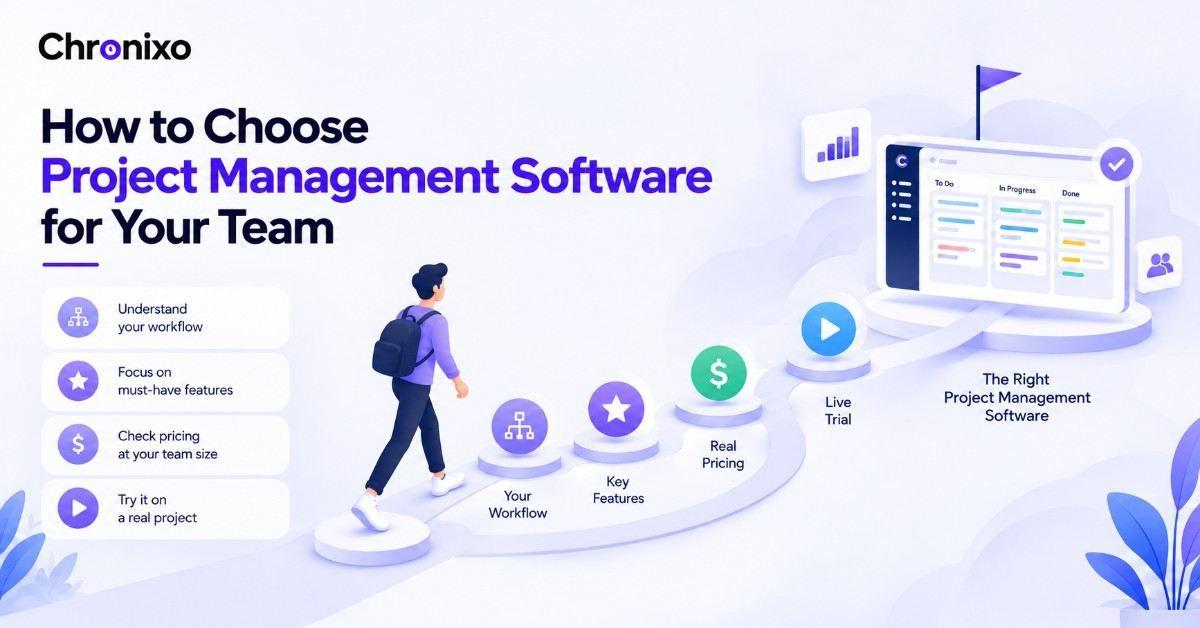
- Start with workflow, not features. The right tool fits how your team already works.
- Two or three must-have features decide it. Not the longest feature list.
- Check the price at your real team size. Watch for features gated to higher tiers.
- Fit beats popularity. The market leader isn't automatically right for you.
- Always trial on a live project. Adoption is the real test, not the demo.
Step 1: Define How Your Team Actually Works
Before comparing tools, look at your own process. As the Project Management Institute notes, the first step is clarifying how you manage projects now, before evaluating any software. The best tool matches the way you already work.
Ask a few plain questions:
- How do you run work, sprints, task lists, or long timelines?
- How many people, and how many projects at once?
- Do clients or outside stakeholders need visibility?
- Where does work currently slow down or slip?
Your answers point to the features that matter, and rule out tools built for a different way of working.
Step 2: List the Features That Actually Matter
Every tool advertises dozens of features. Only a handful will change how your team works. Weight these:
| Feature | Why it matters | Who needs it most |
| Task & board views | Core of daily work; Kanban, list, or table | Everyone |
| Timeline / Gantt | Plan dependencies and deadlines visually | Teams with complex projects |
| Sprint planning | Run and track agile cycles | Product and dev teams |
| Time tracking built in | Ties hours to tasks without a second tool | Agencies, client work |
| Client portal | Share progress without exposing internal detail | Client-facing teams |
| Reporting | Turn work into decisions and updates | Managers, leads |
Mark the two or three your team can't work without. Those decide your shortlist, the rest is noise.
Step 3: Match the Tool to Your Team Type
Different teams need different things. A quick guide:
- Agencies: project + client visibility + time tracking in one place.
- Consultants: simple project tracking tied to billable hours.
- Product/dev teams: sprints, boards, and dependency views.
- Client-facing teams: a portal that shares progress cleanly.
If you're an agency or consultant, tools that combine project tracking with time and client features usually beat single-purpose ones, fewer tools, less switching.
Chronixo combines project tracking, built-in time tracking, and a client portal in one plan at $8/user/mo. See if it fits your workflow, free for 14 days.
Start Free Trial →Step 4: Understand What It Really Costs
Most project management software is priced per user, per month. The headline price rarely reflects what you'll pay.
Two things to check:
- Which tier unlocks your must-have features, entry plans often gate the important ones
- Whether client or guest users cost extra
Chronixo keeps this simple: one plan at $8/user/month, every feature included, with a 14-day free trial and no credit card. If you'd rather see the full evaluation across tools first, Chronixo is built for agencies and client teams specifically.
Step 5: Trial It on a Real Project
A demo shows the tool at its best. A trial shows whether your team will actually use it.
Run a live project through your shortlist for a week or two. Watch three things:
- Adoption. Does the team use it without being pushed?
- Friction. Is logging work fast, or a chore people skip?
- Fit. Does it match your workflow, or fight it?
The tool your team actually uses beats the one with the best feature list every time.
Next Steps
Choosing project management software comes down to fit: your workflow, your few must-have features, your real team-size cost, and a genuine trial. Get those right and the crowded market narrows itself to two or three real options.
If your team runs client work and you'd rather not stitch together separate tools for projects, time, and client updates, Chronixo is built for exactly that. Start a 14-day free trial and test it on a live project.